AW8 uses one set of credentials for the entire platform. Slots, live tables, all five sportsbooks, fishing, poker and lottery – one username, one password, one balance. This page covers every access method from first registration through to getting back in when your ISP filters the domain.
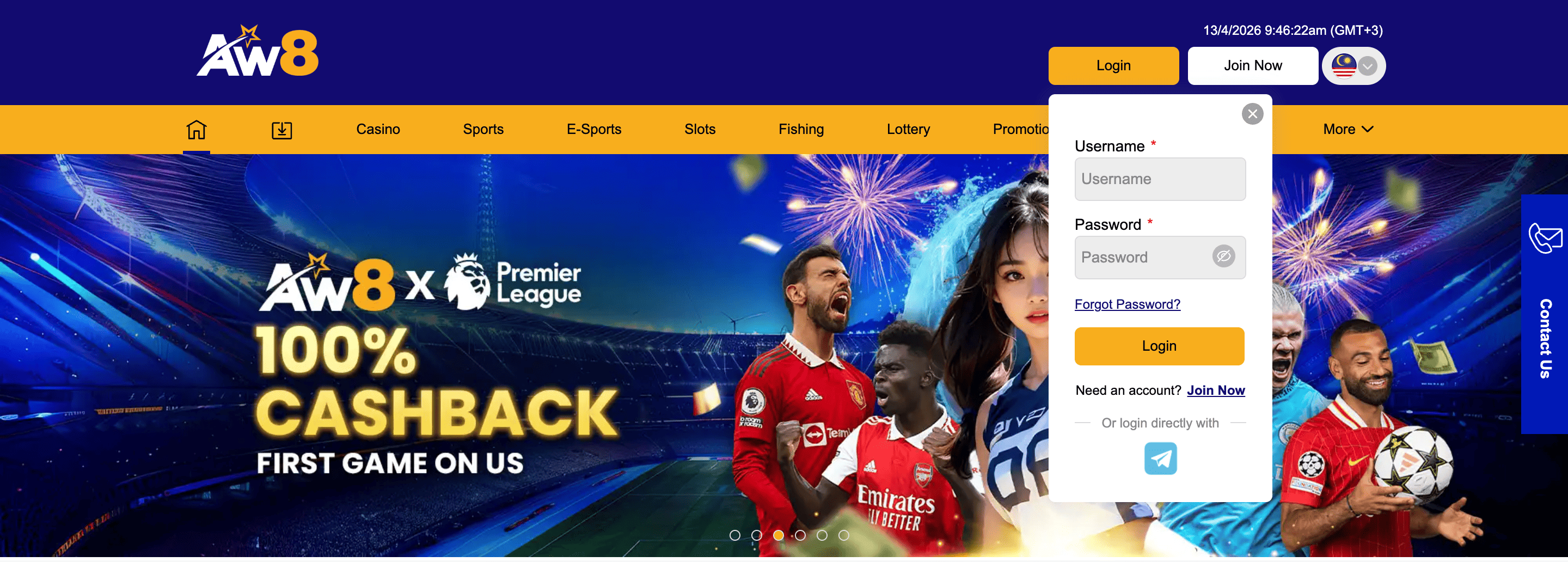
AW8 Login – Standard Method
Open aw88.my in any browser
Click Login at the top-right corner
Enter your username and password
Click Sign In – your account loads immediately
On a trusted personal device, tick ‘Remember Me’ to stay signed in for 7 days. On shared or public devices, always click Logout when finished.
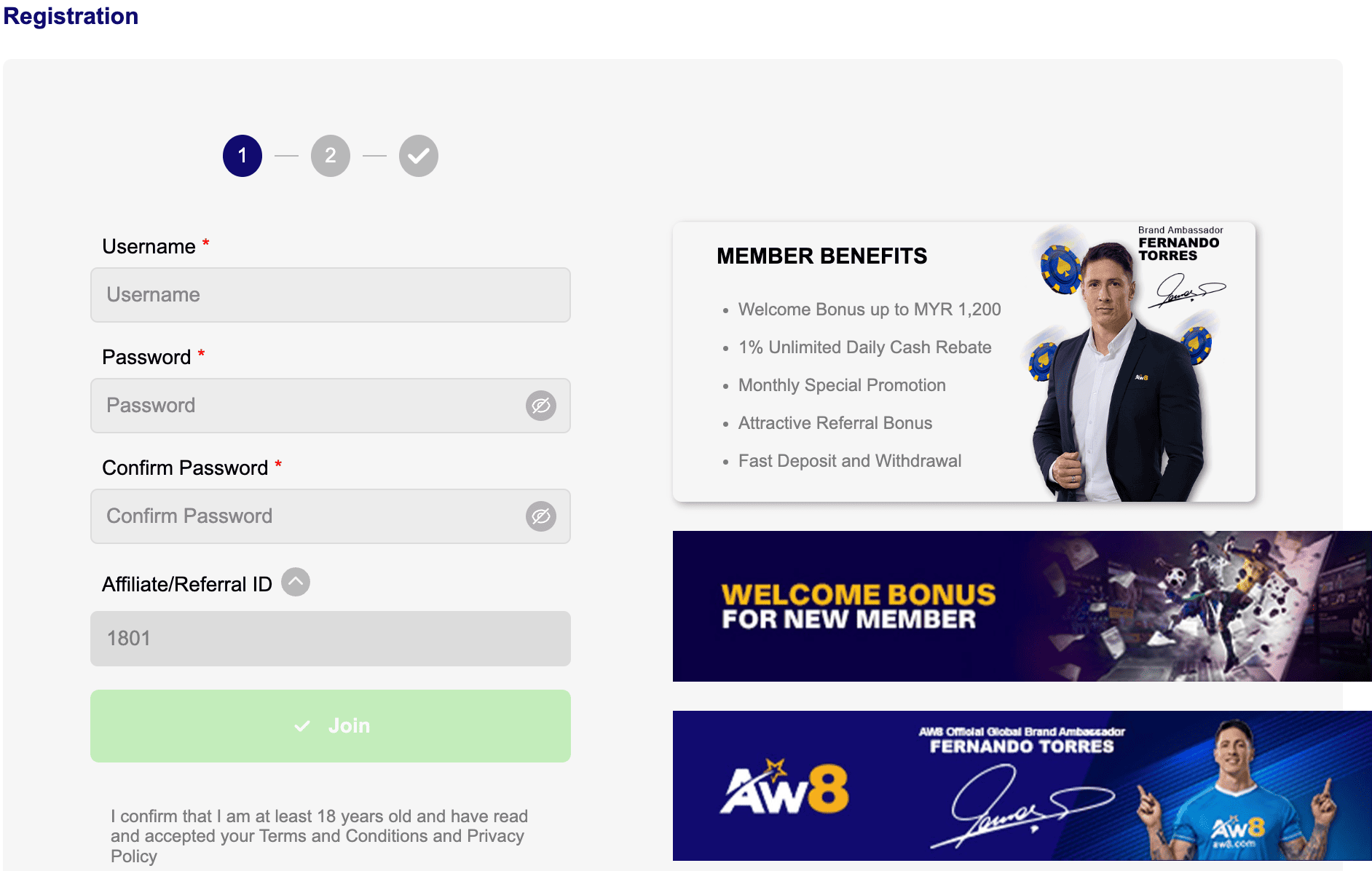
AW8 Register – New Account
Registration is free. It takes under 2 minutes.
Click Register on the AW8 homepage
Fill in your details: full name as per IC, mobile number, username, password, email
Select your welcome offer during signup. Options: 150% slots bonus, 100% sports bonus, 208% three-deposit package. This step happens before your first deposit
Verify your phone via OTP – arrives within 60 seconds
Make your first deposit to activate the bonus. Minimum MYR 50 for welcome bonus eligibility
AW8 requires bonus selection at registration, not after depositing. If you want the 150% slots bonus using promo code [150% SLOT WELCOME BONUS], select it before clicking Register. Changing the choice after depositing requires contacting support.
AW8 Pro shares the same platform as the main AW8 site. If you registered through an AW8 Pro affiliate link, your account lives on the AW8 system. Log in at aw88.my with your standard username and password – no separate portal exists for AW8 Pro.
When aw88.my Does Not Load
Occasionally, aw88.my may be unreachable through your browser. ISP-level DNS filtering is the most common cause in Malaysia. Your account is not suspended and your funds are not affected.
Three reliable options:
AW8 Android or iOS app: both apps use a routing path separate from browser DNS. If the website is unreachable, the app almost always works. Download guide: AW8 App page
WhatsApp support: contact AW8 Live Chat via WhatsApp and request the current working alternative link directly. AW8 keeps backup domains active for this exact situation
Switch networks: try mobile data if you are on Wi-Fi, or vice versa. Some ISP filtering applies to specific network providers, not all
Never use alternative links from third-party Telegram groups or search results. Fake AW8 login pages designed to capture credentials are distributed through those channels. Only get the current link from AW8’s official support.
AW8 Login Password – Reset
Click ‘Forgot Password’ on the login screen
Enter your registered phone or email
Enter the OTP sent by SMS or email – valid 5 minutes
Set a new password and log in immediately
No longer have access to your registered contact? Contact AW8 Live Chat with your IC name and username. Manual recovery takes 1-2 business days.
KYC Verification
AW8 requires identity verification before your first withdrawal. This is a standard condition of AW8’s PAGCOR licence. Documents needed:
Malaysian IC: MyKad front and back
Selfie with IC: you holding your IC clearly visible
Where to submit: Account – Verification – Upload
Processing time: under 15 minutes during business hours
Submit KYC immediately after registration, not when you want to withdraw. It takes 5 minutes and eliminates delays exactly when delays are most frustrating.
Account Security
Use a password that is unique to AW8. Credential reuse is the leading cause of account compromise
AW8 support will never ask for your password. Any message requesting it is not from AW8
Log out after every session on shared or public devices
If you see an unrecognised login, change your password immediately and contact Live Chat
F.A.Q
Can I have two AW8 accounts?
No. One account per person, per phone number, per household. Multiple accounts result in permanent suspension of all accounts and forfeiture of all balances.
My account is locked after failed login attempts. What do I do?
The lockout lifts automatically after 30 minutes. Alternatively, use Forgot Password to reset credentials immediately rather than waiting.
Is my AW8 login the same on mobile and desktop?
Yes. Same credentials on the website, Android app and iOS app. Balance and history sync in real time.
I registered with the wrong phone number. How do I fix it?
Contact AW8 Live Chat immediately before completing any further transactions. Support updates the registered number after identity verification. This cannot be done through self-service.
What is the AW8 Pro login URL?
AW8 Pro does not have a separate login URL. Use aw88.my and your standard AW8 credentials. AW8 Pro is a subbrand, not a separate platform.